

Create content for the exact pixel map and test it on the selected player before the show.
For: Content designers and operators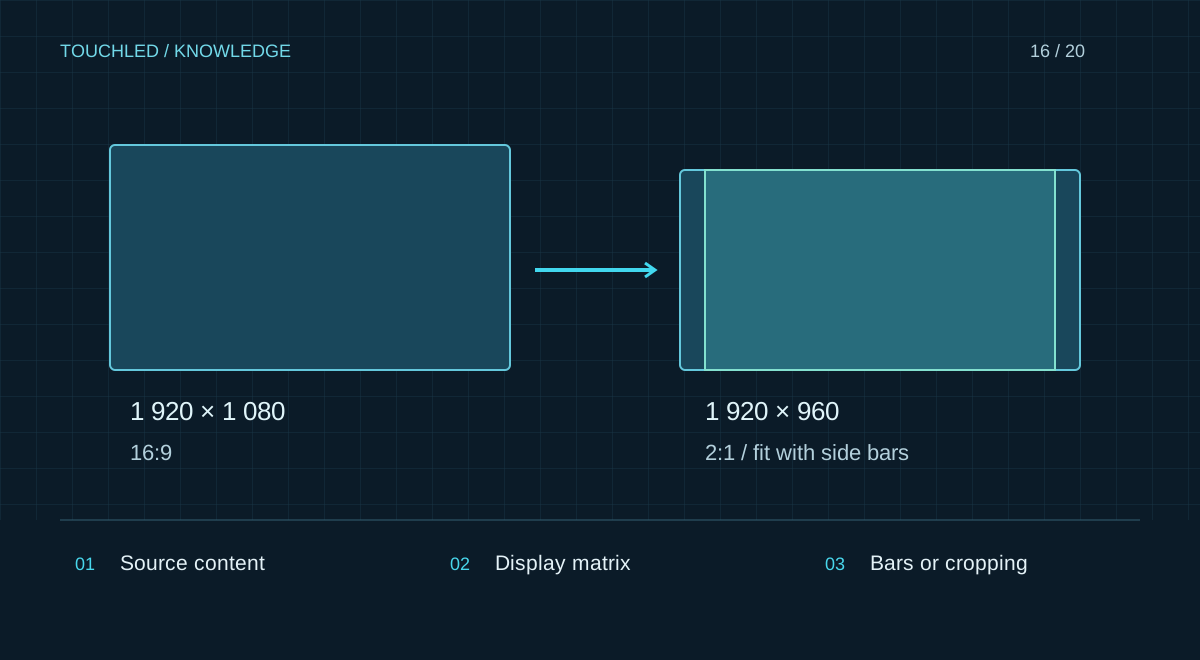
Obtain the native canvas size
Designers need exact pixel width and height, aspect ratio, orientation and a map of irregular areas. Physical dimensions in metres do not define file size. Also establish source signal format: it may differ from the physical matrix, with scaling or cropping performed by the controller.
For transparent, corner and composite displays request an area map including non-displayed regions. Keep important labels away from gaps and bends unless validated.
Example: 16:9 content on a 2:1 canvas
Suppose the wall is 1,920 × 960 pixels and the video is 1,920 × 1,080. Fitting without cropping reduces height to 960 and width to about 1,707 pixels, leaving side bars. Filling the width at 1:1 without distortion requires cropping 120 rows vertically. Stretching to fill distorts objects.
Agree between bars, cropping and redesign before export. A composition made for the actual matrix is preferable, especially for text-heavy video.
Agree a content delivery specification
An MP4 container does not guarantee playback: codec, profile, resolution, frame rate, bitrate and the actual player matter. Do not apply universal settings to every device. For live sources check output mode, links, audio and switching.
| Field | Confirmation |
|---|---|
| Canvas | Width × height, orientation, zones |
| File | Container, codec and player mode |
| Composition | Bars, cropping and text placement |
| Audio | Whether needed and routing |
| Revision | File name, date and owner |
Rehearse on the actual system
Play the entire file, including first and last frames, transitions and looping. Assess small text from real viewing positions. For schedules check the device clock and restart behaviour. Keep final files separate from drafts so the operator cannot select an outdated revision.
Practice: readable text rather than a Full HD label
A designer supplies a Full HD video with extensive text. Scaling onto the actual matrix loses fine strokes even though playback succeeds. Review the composition at native pixel dimensions: shorten text, enlarge labels and remove unnecessary detail. Validate minimum font size from real viewing positions rather than a universal value in an article.
Include a still reference frame with a border and corner markers. It helps operators detect unintended cropping or scaling before playback.
- Do not stretch logos without approval.
- Check the first and last frames of the loop.
- Deliver one clearly identified final file set.
Before your next step
- Exact pixel map is available
- Bars and cropping are agreed
- Format is verified for the player
- Text is readable from viewing positions
- The final file has played through successfully
Sources and applicability
This is an editorial guide, not validation of a particular product configuration. Teaching examples are not TOUCHLED product specifications or prices.
These sources explain technical principles and the models they describe. Check current documentation for the exact variant and firmware: a cited revision is not necessarily the latest or applicable to all equipment.
Found an issue? Email info@touchled.ru with the article title and section.
Apply this to your project
Share dimensions, site photos and the display's purpose. We will identify open questions and discuss the configuration.
Discuss a project