

Choose pitch against real content and viewing positions. Verify the exact module pixel matrix.
For: Owners, designers, procurement teams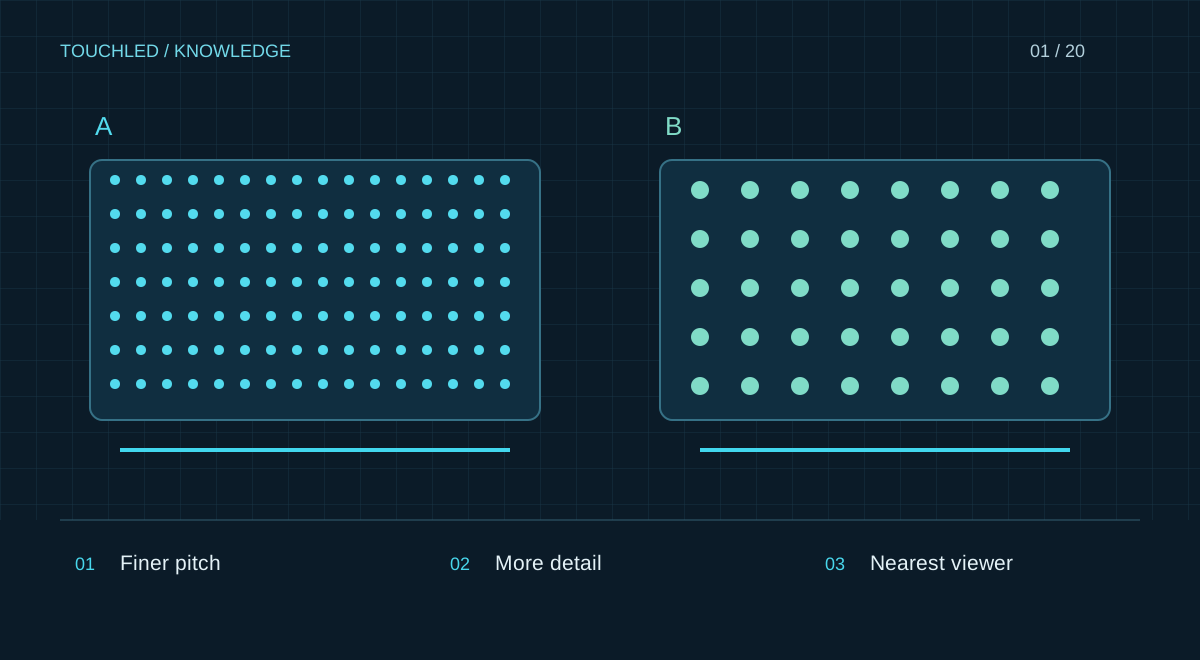
Start with the nearest viewer
Pixel pitch is the distance between adjacent pixel centres. A smaller pitch gives a denser image at the same area. Consider the nearest viewer and the content: fine text, presentations and large advertising graphics have different demands. A universal pitch-to-distance formula cannot replace assessment in the actual conditions.
Match dimensions to content
Establish available width and height, video proportions and the smallest required detail. Actual dimensions follow module or cabinet increments. Check resolution for the exact variant, then select control and wiring. A controller's 4K input label does not describe the display surface's resolution.
Check light and maintenance
Separately identify indoor or outdoor use, direct sunlight, glass frontage and module replacement access. A finer pitch alone does not address brightness, protection or cooling. A site photo, approximate dimensions, distance and content sample are useful starting points; exact parameters are clarified during design.
How to compare samples
Prepare your own slide with small text, a table, a logo and a photograph. Display it at the native resolution of both options and comparable brightness, from the closest and main viewing positions. Do not assess only saturated promotional video: it can hide poor text readability and subtle grey-level issues.
Without a sample, create content at the target resolution without enlargement. This reveals a shortage of pixels but cannot validate brightness, surface structure or perception in the room.
What to record
The outcome is a set of comparable options with equivalent usable area and evaluated tasks. A finer pitch increases pixel count, changing control and source-content requirements.
| Task | Sample content | Agree on |
|---|---|---|
| Meeting room | Tables and small labels | Readability from rear seats |
| Lobby signage | Brand graphics and video | Ambient light and viewing positions |
| Filmed stage | Camera and real scene | Moiré, banding and camera settings |
Practice: a meeting room with tables
A customer selects a presentation display and assumes a 16:9 aspect ratio is enough. The real requirement is reading financial tables from the rear seats. First prepare a typical slide and agree the smallest labels, then evaluate several pixel matrices. If text is unreadable, the answer may be more pixels or a redesigned presentation template.
Retain the tested file, distances and demonstration result in the brief. This provides an acceptance criterion that can be repeated after installation.
- Do not select pitch only by a price-per-square-metre budget.
- Do not compare samples at different brightness without recording conditions.
- Do not derive resolution from a rounded P1.86 label instead of the manufacturer's matrix.
Before your next step
- Nearest and main viewing positions are known
- Real content sample is available
- Module dimensions and resolution are confirmed
- Light, reflections and service access are checked
- Selection is demonstrated or explicitly provisional
Sources and applicability
This is an editorial guide, not validation of a particular product configuration. Teaching examples are not TOUCHLED product specifications or prices.
These sources explain technical principles and the models they describe. Check current documentation for the exact variant and firmware: a cited revision is not necessarily the latest or applicable to all equipment.
Found an issue? Email info@touchled.ru with the article title and section.
Apply this to your project
Share dimensions, site photos and the display's purpose. We will identify open questions and discuss the configuration.
Discuss a project